Somehow I saw the news that Google recently has published Firebase Studio preview so people can start trial; I happened to be quite free this long weekend, good opportunity to have a taste of nowadays state-of-art development.
I started the studio, it created a worksapace for me and provided a text box to input prompts - casually entered that I wanted to create a common unit conversion tool including imperial/metrics and on categories like legnth/speed/area/volume.
The studio acted swiftly to generate a tech stack, plan and also gave the project a name. Then quickly it created a single web page which already works. In next of couple of hours I just told Gemini on adding more units for conersion, and small adjustments of the web page layout. I didn't have to worry about the calculation/fomulas or the unit names, Gemini even knows how to convert Chinese acre... really impressive how powerful the AI is.
The application is built on a modern, server-rendered web stack. Here are the core components:
Framework: Next.js (using the App Router). This is the foundation of the project, providing server-side rendering, routing, and a structured way to build the React application.
Language: TypeScript. We're using TypeScript for type safety, which helps catch errors early and makes the code more robust and easier to maintain.
UI Components: ShadCN. The user interface elements like buttons, cards, and dropdowns are from the ShadCN library, which provides accessible and stylable components.
Styling: Tailwind CSS. All styling is handled by Tailwind CSS, a utility-first CSS framework that allows for rapid and consistent design.
Generative AI: Genkit. The AI-powered feature that determines the unit type from a description is implemented using Genkit, which connects to Google's Gemini models.
While it's quite a pleasure to build the tool in Firebase Studio, which is VS Code based, also easy to push the code to Github, it was a huge time waste when finding a proper way to publish the web page tool -
it was my desire to use a free plan, so I didn't want to publish Firebase program, I chose Cloudflare Pages first, eventhough by document stated that deployment from Github to Cloudflare Pages should be straight forward, this time my tool tech stack is bascially on Next.js framework, the Cloudflare build encountered 2 types of issues:
-
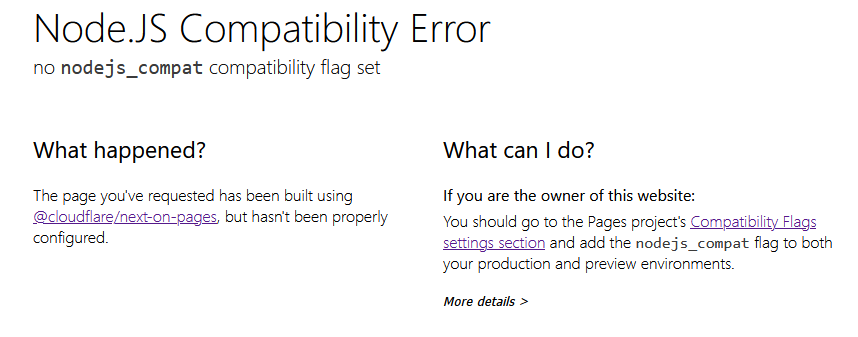
when Next.js framework was chosen, the default build command would succeed and it deployed, then the web page couldn't open, complaining Node Js Compatibility Error, and there no way to fix that: it looks for exact nodejs_compat flag, but there are currently only 2 close flags for choosing: nodejs_compat_do_not_populate_process_env, nodejs_compat_populate_process_env. Therefore I could never make my tool work;
-
Tried to not choose next.js as framwork in Cloudflare Pages and use 'npm next build' as build command, then it encountered webpack file in Cache folder exceeds 25Mb limit. Fought this limit by playing around the package.json config to clean Cache after build or so, no luck, wastted me 4,5 hours.
Eventually I chose Vercel to publish this web page tool, well, it only took 5 minutes - what luck relies on choice!
PS. the code can be cloned to local VS Code to develop too.